Use case
Improve your AI coding skills by actually looking at your sessions
You can't improve AI coding skills you can't see. Run Accrete's local explorer over your own Claude Code sessions — no team, no sync, no manager.
You use Claude Code every day. You're past the novelty phase, you're reasonably good, and you have no idea whether you're getting better.
That's not a character flaw. There is no mirror. Each session scrolls past and is gone; Claude Code purges transcripts after roughly 30 days, so even if you wanted to study your own history, most of it no longer exists. You can't compare this month to three months ago because three months ago has been deleted.
Deliberate practice needs a feedback loop. Right now yours is vibes.
A local explorer over your own sessions
Accrete's explorer runs standalone on your machine. It parses your local Claude Code transcripts into a durable local database — before the 30-day purge eats them — and gives you a browser UI over the result.
Nothing syncs anywhere. There is no account, no server, no manager view. Sync only exists if you later join a team server, and that's a separate, deliberate step. What "local" means precisely is on the privacy page.
What you get:
- Durable history. Your full session record, kept past the purge window. The longer it runs, the more useful the trend line.
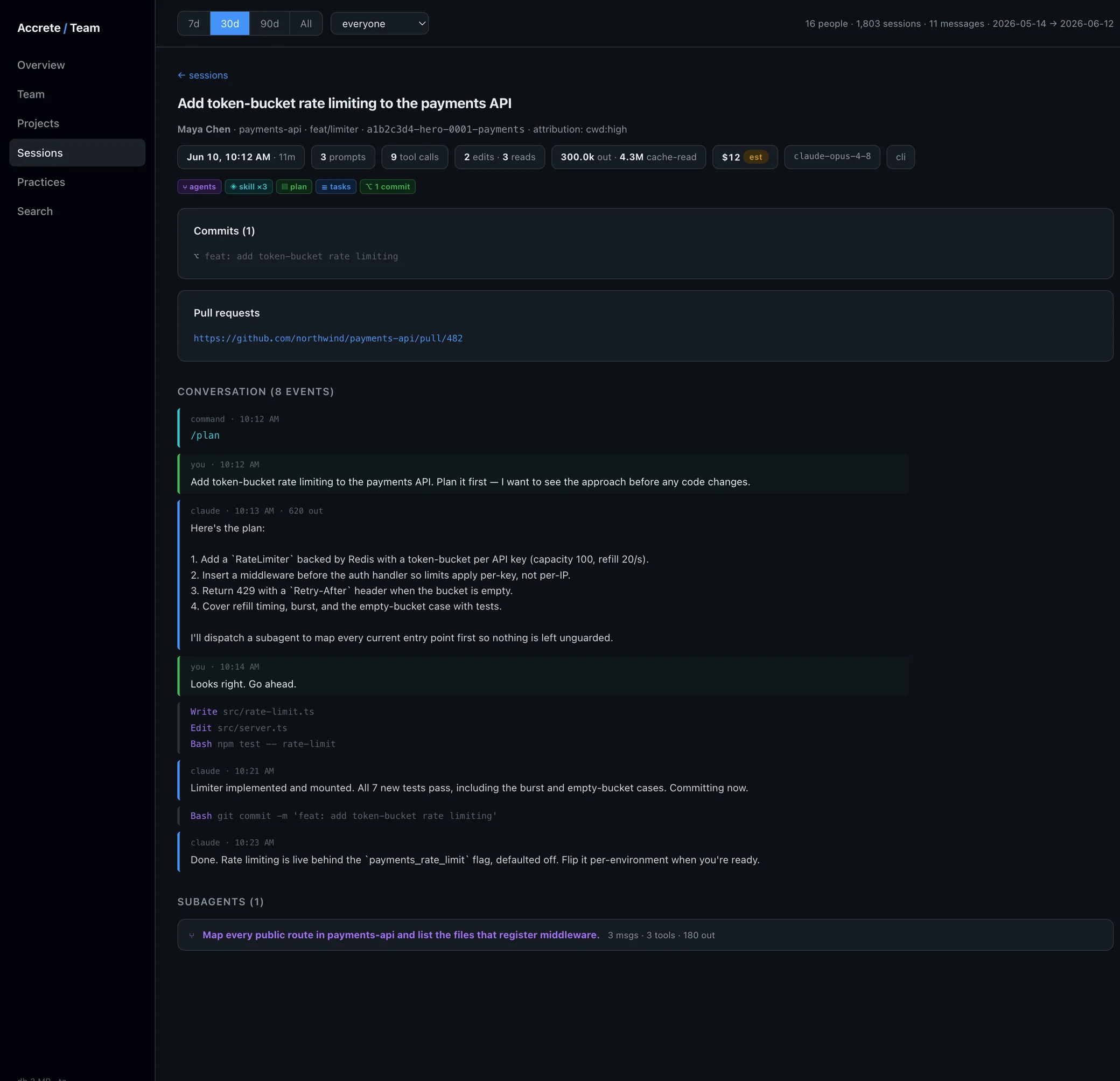
- A practice-signal profile. Each session is classified for concrete behaviors: plan mode, subagent dispatch, skills and saved commands, task tracking, memory writes, context management, commits, markdown artifacts. Observable facts, not scores. The full pipeline is on how it works.
- Search and drill-down. Full-text search across your prompts. Open any session and see what you actually asked for versus what you think you asked for.
- Your trend over time. Whether the practices you meant to adopt actually show up in the data month over month.
What you'll probably learn about yourself
We won't pretend to know your data. But these are the kinds of gaps session data tends to surface — the things people are surprised by when they first look:
- You almost never enter plan mode before large edits. You believe you plan; the sessions say you start typing.
- You re-paste the same project context session after session instead of writing it to memory once.
- You've never dispatched a subagent. Not "rarely" — the count is zero.
- You run long sessions to the point of degradation instead of clearing or compacting context.
- You have saved commands you wrote weeks ago and never invoke.
- Long stretches of work end without a commit.
None of these are fabricated benchmarks — pre-launch, we have no public numbers and won't invent any. They're the categories the practice catalog detects. Which ones apply to you is exactly the question the explorer answers. For what to do about the gaps once you can see them, there's a guide to AI coding best practices.
What it won't do
- It doesn't grade your code. It observes practices in sessions; code quality is your problem.
- It only sees Claude Code and agent session transcripts. Inline autocomplete tools don't produce transcripts and are invisible to it.
- A practice signal means the behavior occurred, not that it was done well. Adoption and proficiency are different facts, and the tool keeps them separate.
The honest part about teams
This is also how Accrete spreads, and we'd rather say so than be coy about it: engineers who run the explorer solo are the ones who later bring it to their team. The founder built it for exactly this reason — he wanted visibility into his own practice first, and evidence to push change on teams second. The team product is the same explorer with sync and a server attached. If that day comes, joining is your call; until then the tool is complete on its own.
No one needs to know you're running it. That's rather the point.
Try it on your own history
We're pre-launch. Join the early access list and you'll get the local explorer when it ships — your transcripts are purging in the meantime, which is the one genuinely time-sensitive thing on this page.